

Adobe Experience Manager Guide: How AEM Powers Modern Digital Experiences
In today’s world, every organization needs a robust digital presence. No matter whether it is about building a corporate website, a retail store, a financial application, or media channels, customers want faster, more personalized, and seamless experience on any device. The manual management of content becomes quite complex when websites become more complicated. This is where Adobe Experience Manager, or AEM, comes into play. Adobe Experience Manager is a content management system by Adobe. It assists companies in creating, managing, organizing, and delivering their digital experiences through websites, mobile applications, and other digital platforms. AEM is one of the most popular tools among enterprises since it enables users to deal with large volumes of content efficiently.
AEM Simplified Explanation
Think of a business running many web pages, numerous images, blogs, products, banners, and marketing campaigns. If changes were made to each page manually by the developers, it would be very time-consuming. AEM addresses this issue by providing content creators with a user-friendly interface that allows them to create and modify content without coding every single time. Developers develop components once, and content creators utilize these components over and over again to develop pages. To put it simply, AEM serves as an intermediary between developers, designers, marketers, and content creators.
Reasons Why Companies Adopt AEM
There are various reasons why many companies opt to use AEM as their content management system, some of which include the following:
-
Convenient Content Management
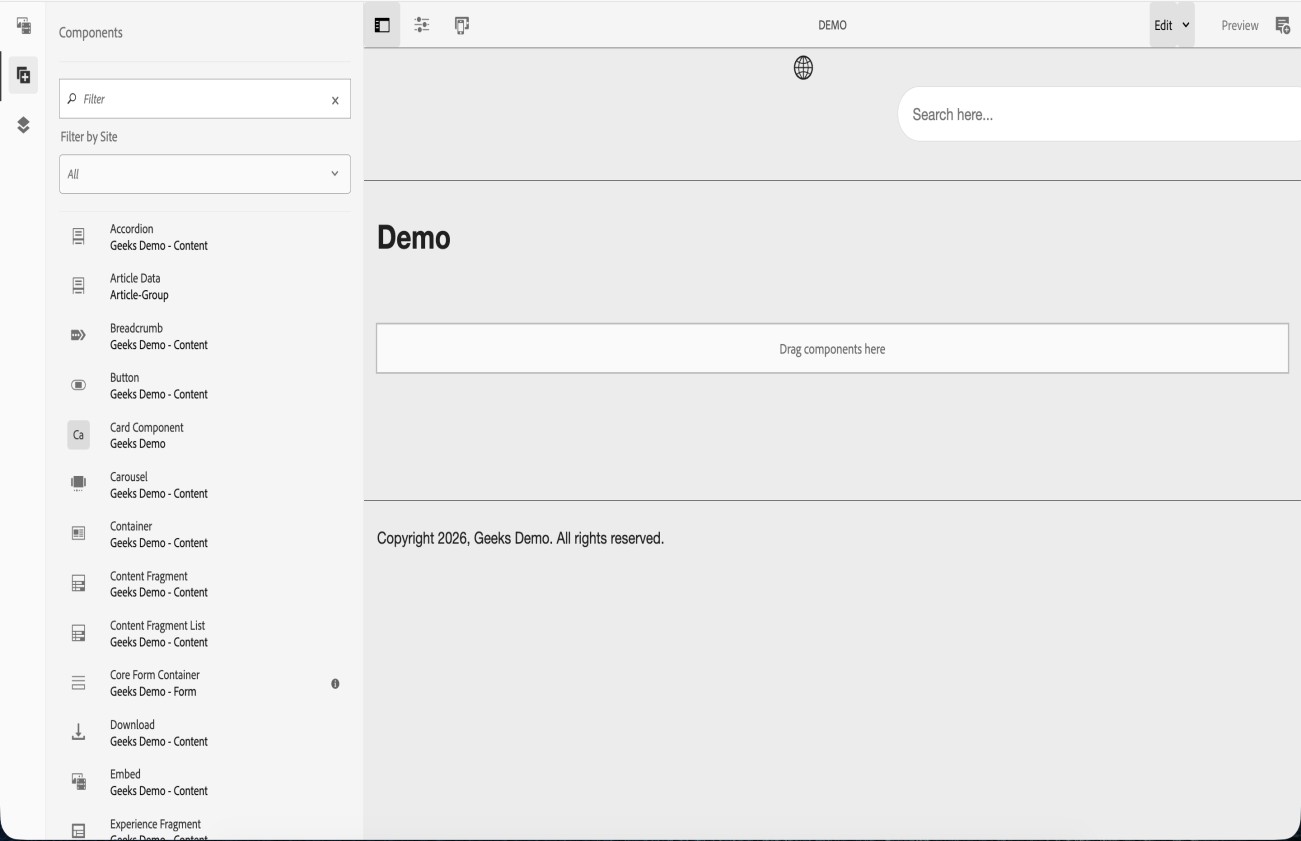
The ability to create and modify pages through drag-and-drop components minimizes the need to rely on the developers for minor changes within the content.
-
Reusable Components
Some of the reusable components that can be created using AEM include the following:- Header
- Footer
- Hero Banner
- Carousel
- Product Cards
- Forms
These reusable components can be used on various pages, saving time in development and ensuring consistency in website design.
-
Digital Asset Management (DAM)
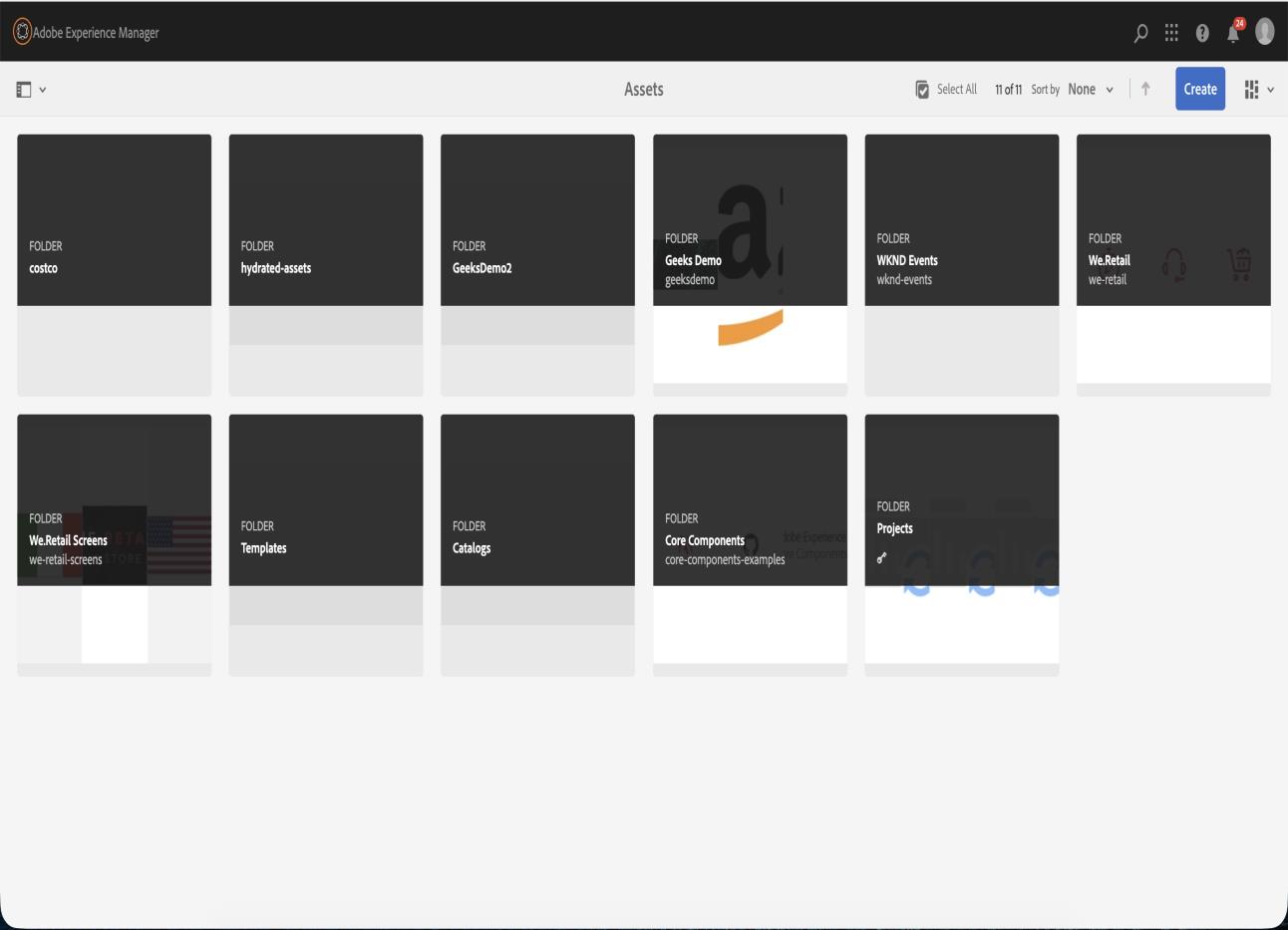
The AEM solution includes a DAM component that enables users to store and organize all sorts of media, including images, videos, PDFs, and more, in one convenient location.
-
Personalized User Experience
The modern web requires personalized content for each user. Using AEM will enable organizations to offer unique experiences depending on user behavior, location, interest, or device. Examples include country-specific banners, personalized offers to repeat customers, and device-specific designs. -
Multiple Website Management
Big corporations often have many websites dedicated to different regions or brands. AEM enables such organizations to manage all their websites via one interface. This helps achieve consistency in branding and quick publication of content.
Key Features of AEM
-
AEM Sites
The tool is used for creating and managing website content. It provides capabilities for creating responsive and dynamic websites with the help of templates and components. -
AEM Assets
AEM Assets is the Digital Asset Management module that stores and manages media files. -
AEM Workflows
Workflows in AEM enable automation of business processes. Examples include:- Content Approval Workflow
- Asset Review Workflow
- Publishing Workflow
It saves effort and increases efficiency.
-
AEM Templates
Templates provide page structure definitions. Authors can generate pages by utilizing predefined layouts and policies.
Architecture Overview of AEM
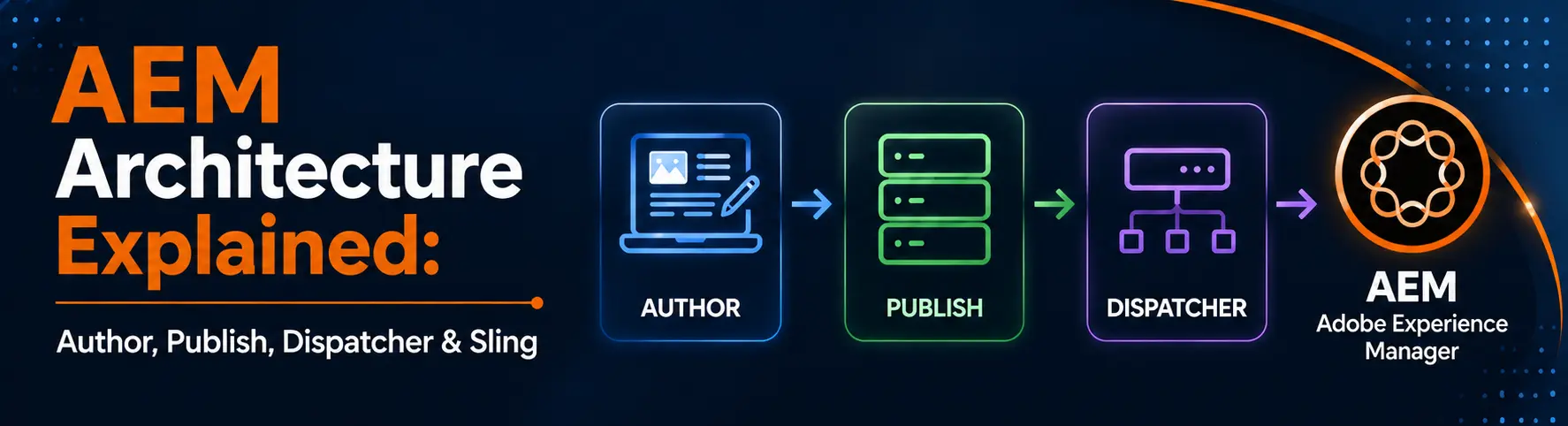
AEM primarily consists of two environments:
-
Author Environment
Here, content authors and developers work on creating and managing content.
Tasks done here include:- Creation of pages
- Creating components
- Managing assets
- Handling workflows
-
Publish Environment
The Publish instance is the live environment where end-users see the website. Content once approved in the Author environment will be published to the Publish environment.
Development in AEM
The development in AEM is generally done using the following technologies:
- Java
- OSGi Services
- Sling Models
- HTL (Sightly)
- JCR Repository
- Maven
- Client Libraries (CSS & JS)
The developers build logic and components which the authors then use for managing their content.
Example of Real-World Application of AEM
Let us consider the example of an e-commerce business trying to conduct a festival sale campaign.
Without AEM:
- Manually updating several pages by developers
- Technical team is required for marketing team
- Difficulties in managing assets
With AEM:
- Marketing team updates banners independently
- Components make faster page creation possible
- Centralized asset management system
- Faster publishing of changes
Both these processes become more productive and customer-friendly.
Benefits of using AEM
Some key benefits of AEM include:
- Rapid website building
- Superior content management
- Enhanced team collaboration
- Reusable architecture
- Scalability
- Personalization
- Asset management
- Integration with Adobe software
As a result of all these benefits, many international corporations choose AEM for their digital solutions.










Abhijeet Kumar
2026-06-09