
So, what is a bundle product in Salesforce CPQ?
Prior to that, do you know what a product is in Salesforce CPQ?
In Salesforce, every product is stored as a record in the standard Product object.
For example, when you visit a market to buy something, you ask the shopkeeper for a specific product according to your requirement. Similarly, in Salesforce, when a customer wants to buy something, the sales representative offers products that the company sells.
The product can be a physical item, service, subscription, or package.
Now, in Salesforce CPQ, there are basically 6 types of Products:
- Subscription Products
- Non-Subscription (One-Time) Products
- Product Bundles
- Multidimensional Quoting (MDQ) Products
- Usage-Based Products
- Perpetual Products
Here we will learn only about product bundles.
Product Bundles
A bundle product is a collection of products, i.e., products under a product.
A bundle product is a package where customers can choose from different options to create the product they want. A bundle product can have categories as well as options to choose from within those categories. In Salesforce CPQ, categories are called Product Features, and options are called Product Options.
For example, PVR Combo is a bundle product containing Veg Meal and Non-Veg Meal as its Product Features. You can add items to the Veg Meal feature as well as the Non-Veg Meal feature.
Remember, all product options like Veg Burger, Veg Pizza, Chicken Burger, Chicken Pizza, and so on are also products. Each Product Option has a field named Feature, where you can choose the relevant Product Feature to categorize the Product Option.
How to Create a Product Bundle in Salesforce CPQ?
1. Create a Product in Salesforce CPQ
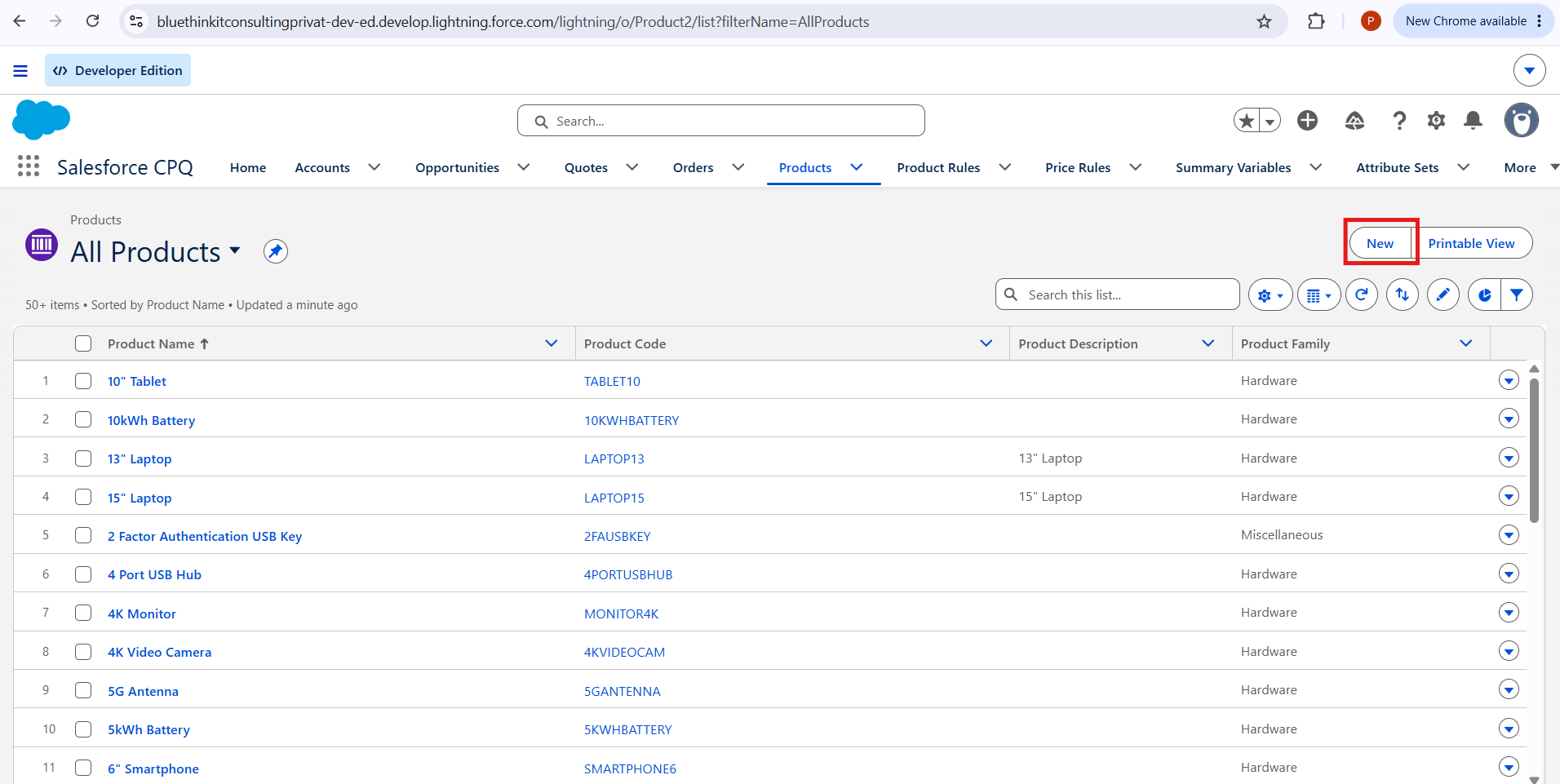
Click on the New button on the Products tab in Salesforce CPQ.
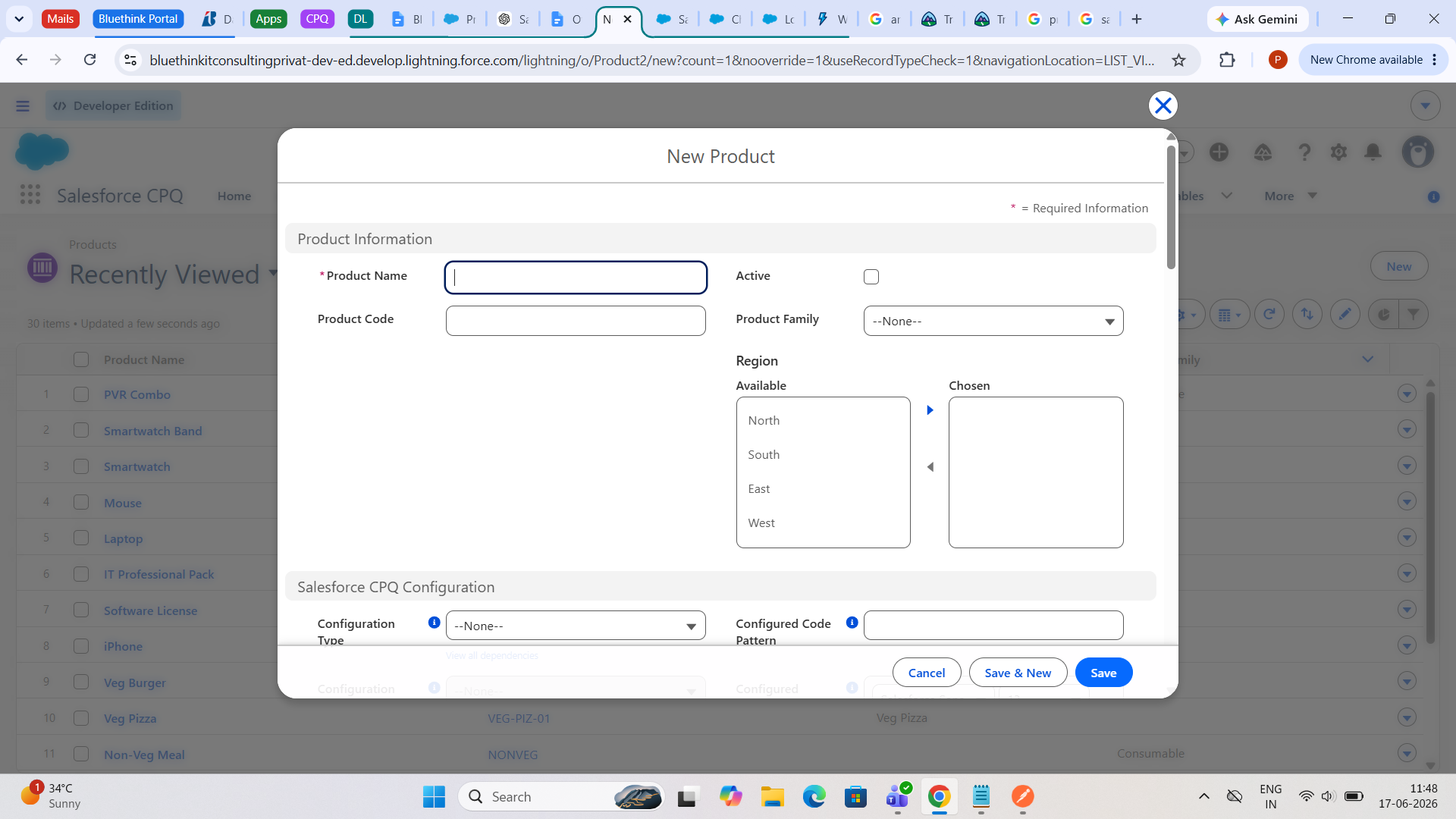
Fill in the relevant details for creating a product, such as Product Name and Product Code.
Note: Make sure the product is marked as Active.
2. Add Product Features and Product Options
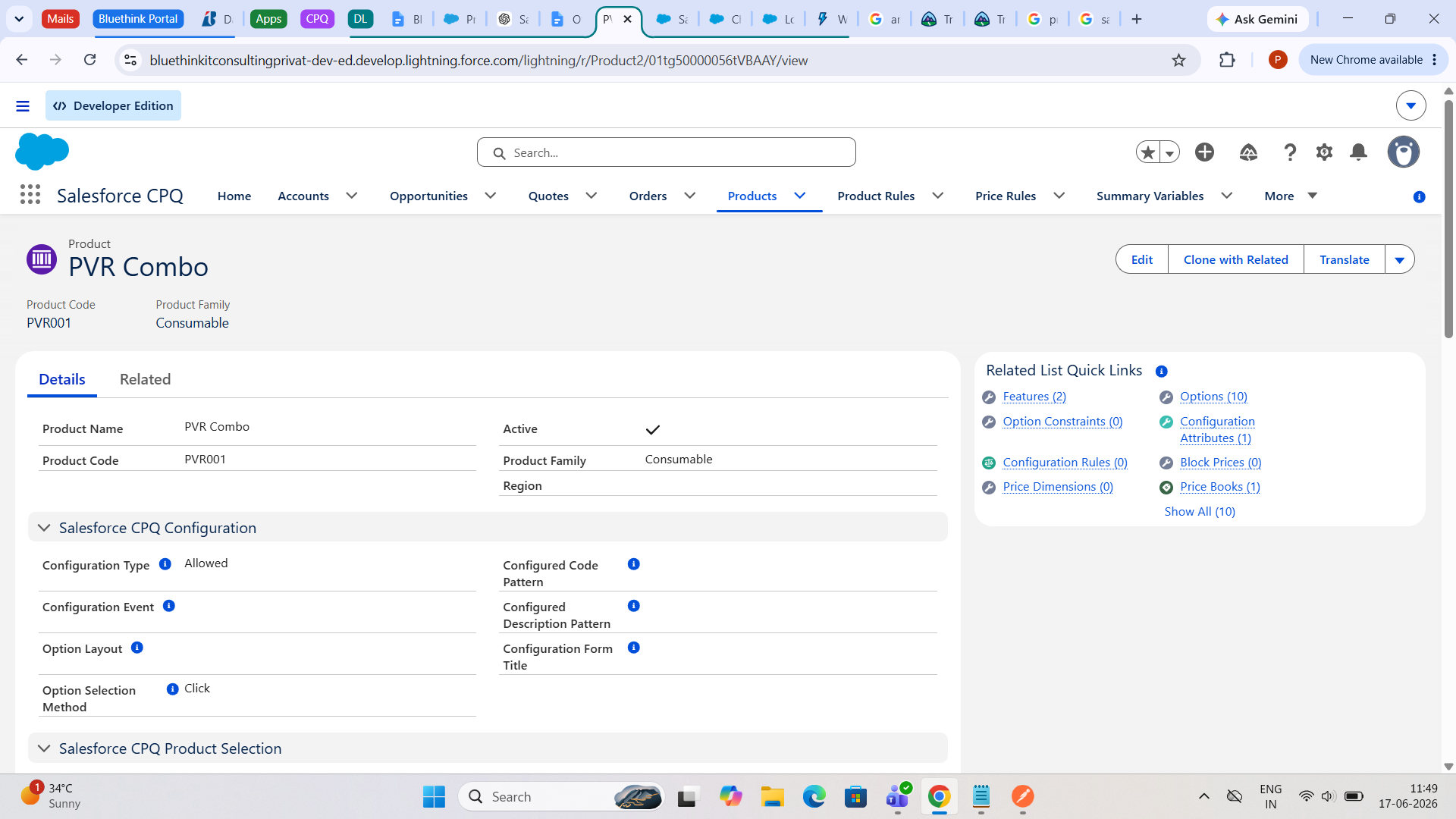
To make it a bundle product, you need to add Product Features and Product Options.
Note: Adding a Product Feature is optional, but to create a Product Bundle, you must add Product Options. Without Product Options, it cannot be called a Product Bundle.
3. Create Product Features
Here, I am considering Product Features as well. While creating a Product Feature, don’t forget to select the Configured SKU as your bundle product, for example, PVR Combo.
What is Configured SKU?
A configured SKU is the main product that customers customize by selecting different options.
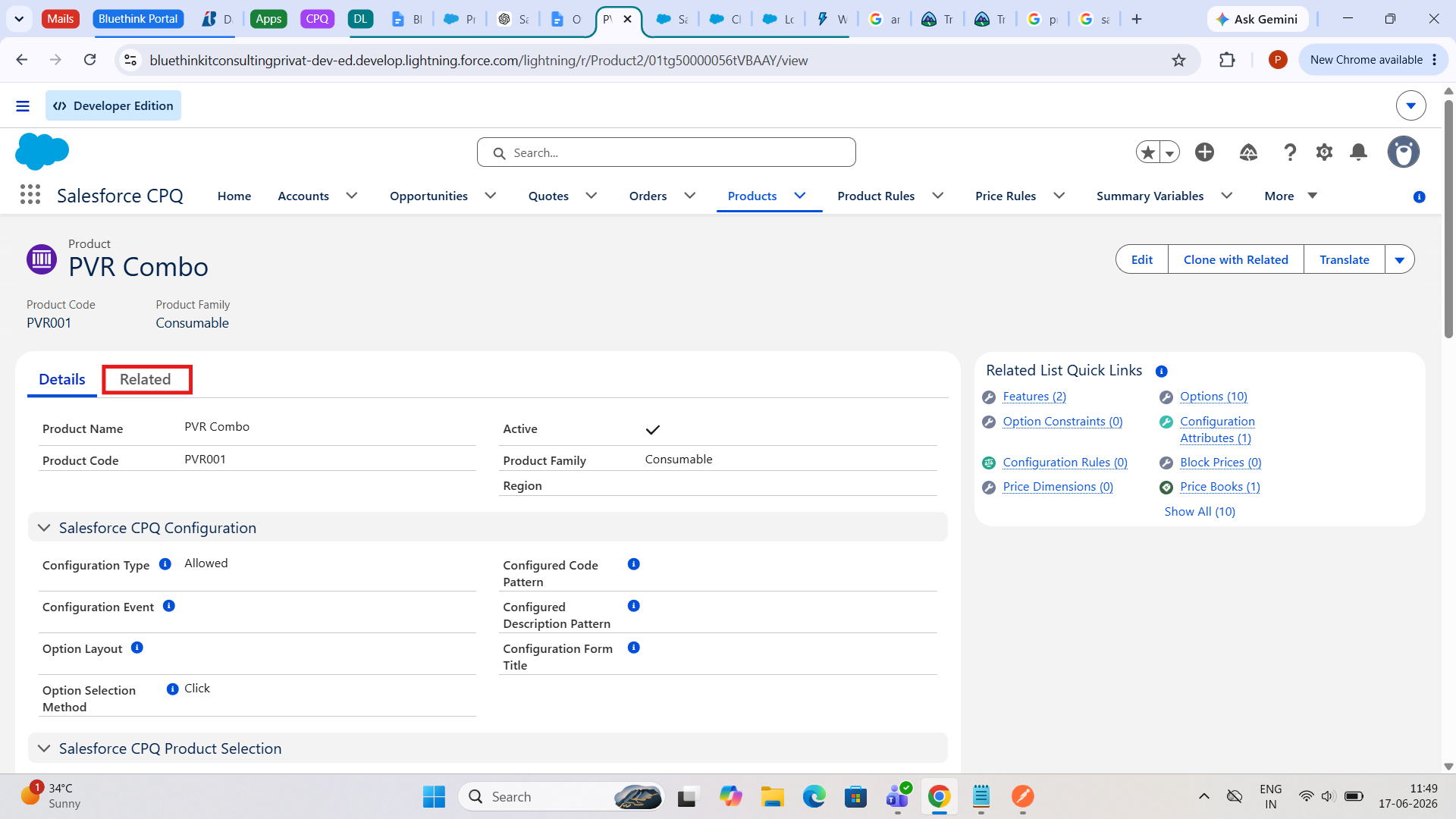
Click on the Related tab on the product for adding new features to it.
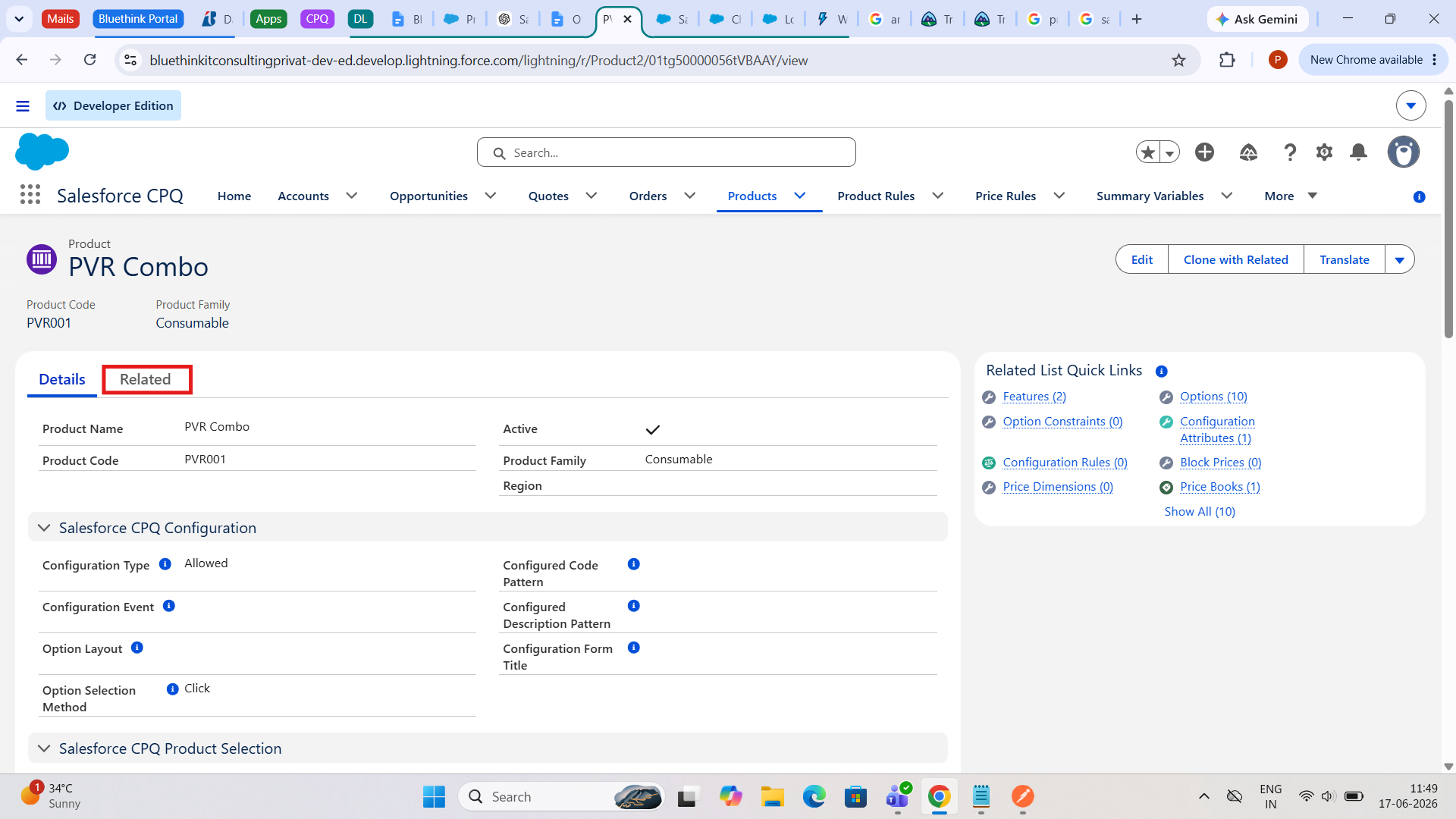
Look at the Configured SKU field. It should contain the name of the bundle product we created.
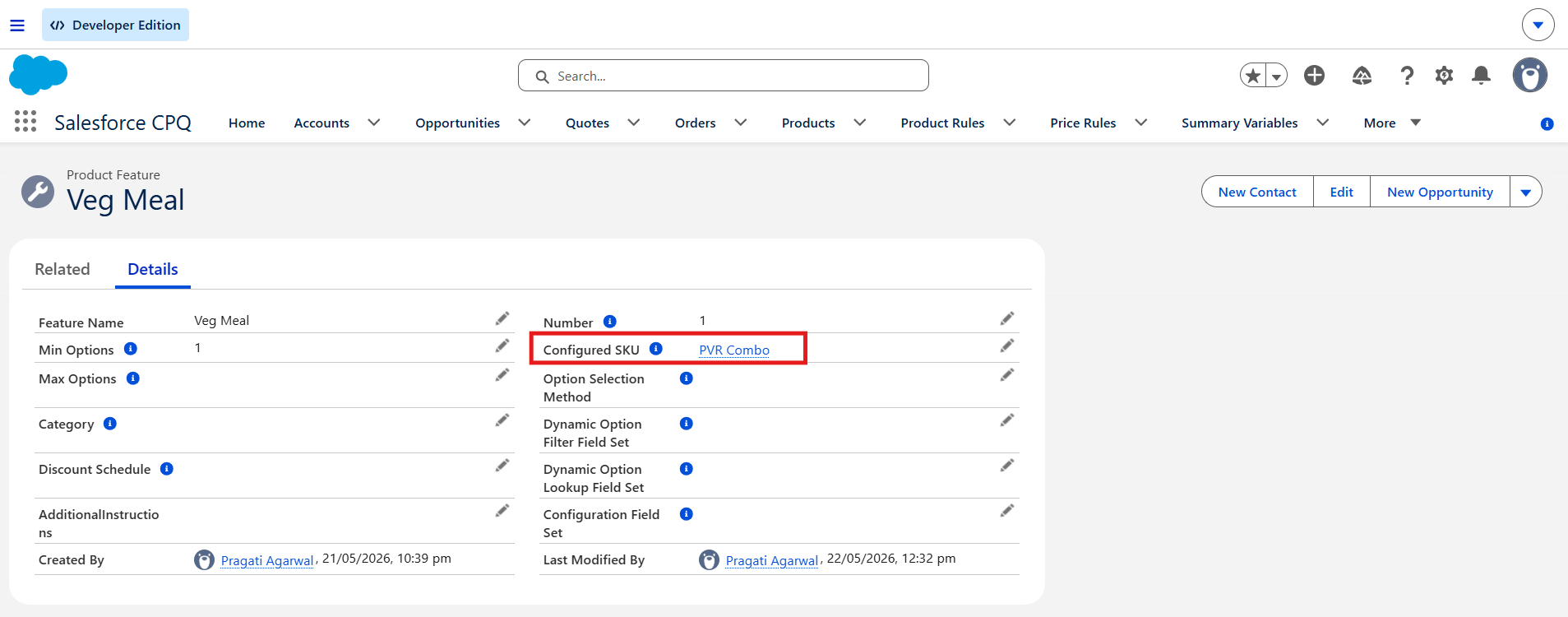
Similarly, create all the Product Features you require.
4. Create Product Options
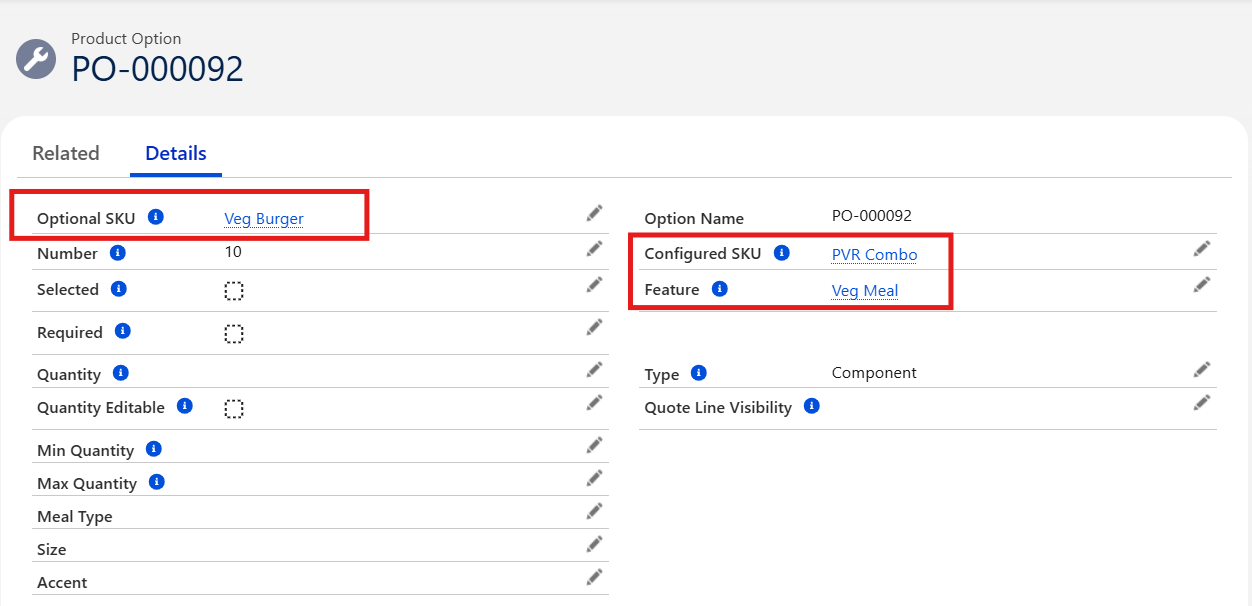
Now create the Product Option. For this, you need to select the Optional SKU, which is the Product Option itself. Remember to assign it to the relevant Feature.
Click the Related tab for creating Product Options.
Look at the Optional SKU field, which contains the name of the Product Option itself.
Select the suitable Feature field for the Product Option you are creating.
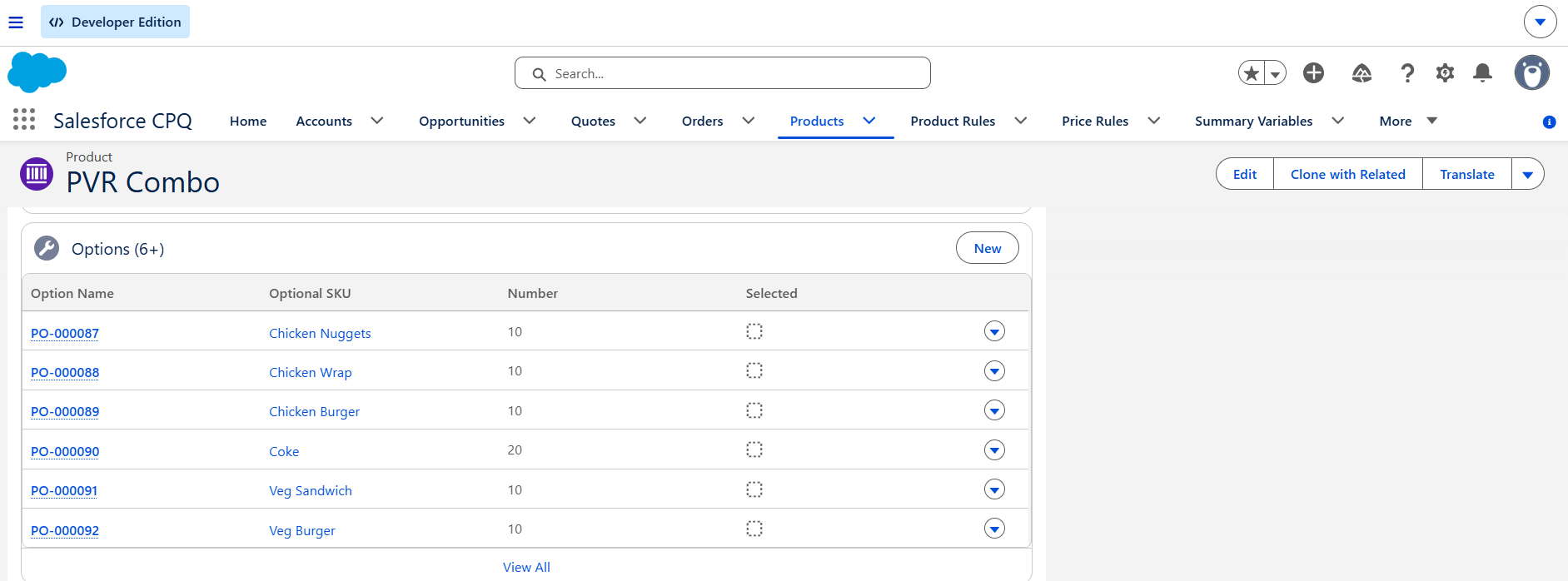
Add as many Product Options as you want to the Product Bundle.
More Concepts Related to Bundle Product
Option Constraints
As bundles become more complex, Salesforce CPQ can control which products can be selected together and which cannot be selected together using Option Constraints. Option Constraints live inside the bundle and make sure customers choose valid combinations.
Example: Pizza
- Crust: Thin Crust, Cheese Burst
- Size: Small, Medium, Large
Rule: Cheese Burst is available only for Medium and Large pizzas.
Conclusion: If the customer selects Small Pizza, Salesforce automatically prevents selecting Cheese Burst.
Configuration Attribute
Salesforce CPQ can ask configuration questions. Configuration Attributes belong to a specific bundle and help customize it.
Example: Would you like extra cheese?
- Yes
- No
It belongs only to the pizza being configured.
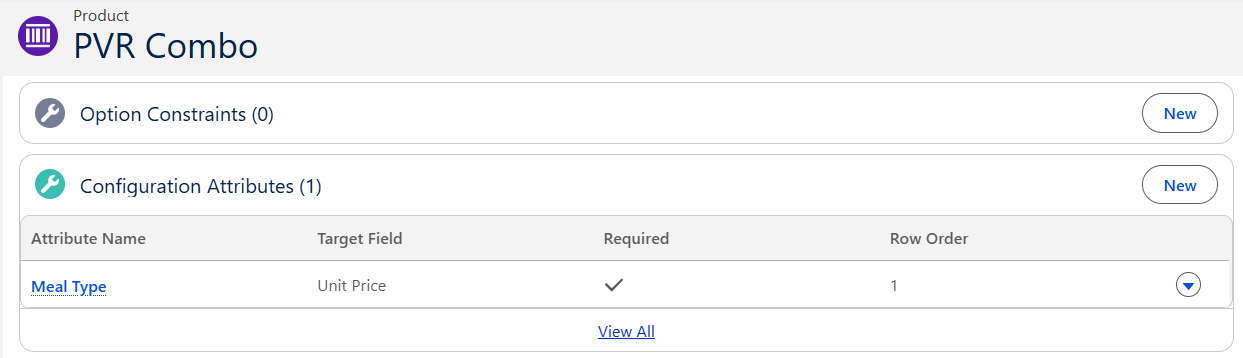
You can add Option Constraints as well as Configuration Attributes from the same Related section mentioned above.
Global Attribute
Global Attributes are not tied to one bundle. They work across multiple bundles and products.
Example: Imagine you are ordering:
- Pizza Combo
- Garlic Bread
- Pasta
The restaurant asks:
Delivery Type?
- Standard Delivery
- Express Delivery
You answer this question once, and it applies to the entire order, not just the pizza.







pragati agarwal
2026-06-30