

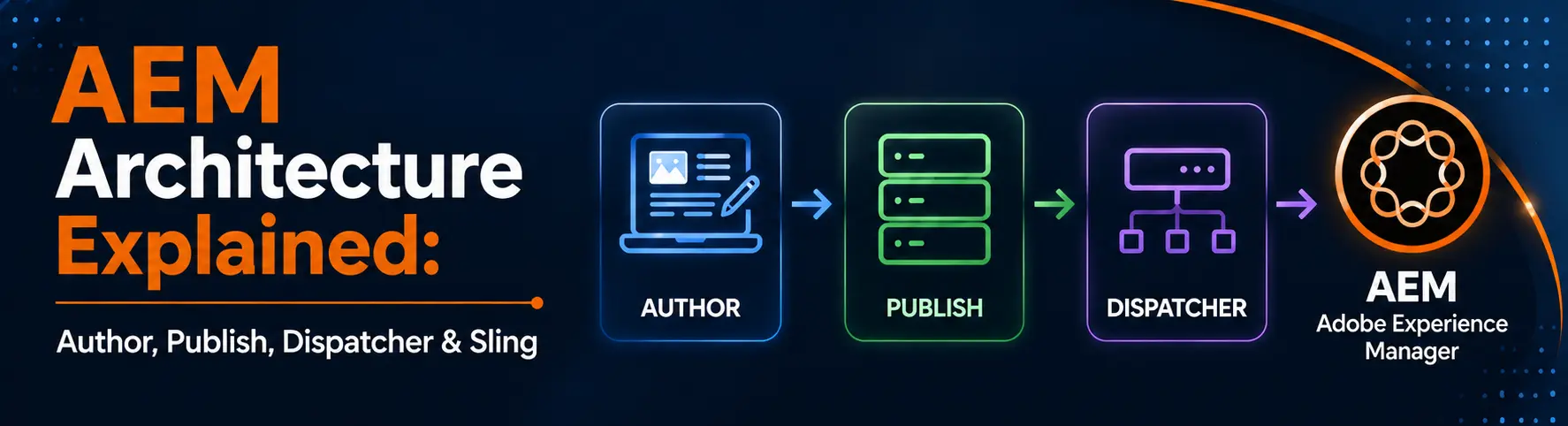
AEM Architecture Explained: Author, Publish, Dispatcher & Sling
Adobe Experience Manager (AEM) is an enterprise-level content management and digital experience platform that helps businesses create, manage, and deliver content across websites, mobile apps, and other digital channels from one centralized system.
It is built on technologies such as Java, Apache Sling, OSGi, and JCR, making it highly scalable and flexible for large organizations.
At a high level, AEM architecture is divided into two main environments:
- Author Environment – where content teams create and manage content.
- Publish Environment – where content is delivered to end users.
To improve performance, security, and scalability, AEM also uses components such as Dispatcher for caching, CDN for faster global delivery, JCR for content storage, and integrations with enterprise systems like commerce, CRM, and analytics platforms.
Core Components of AEM Architecture
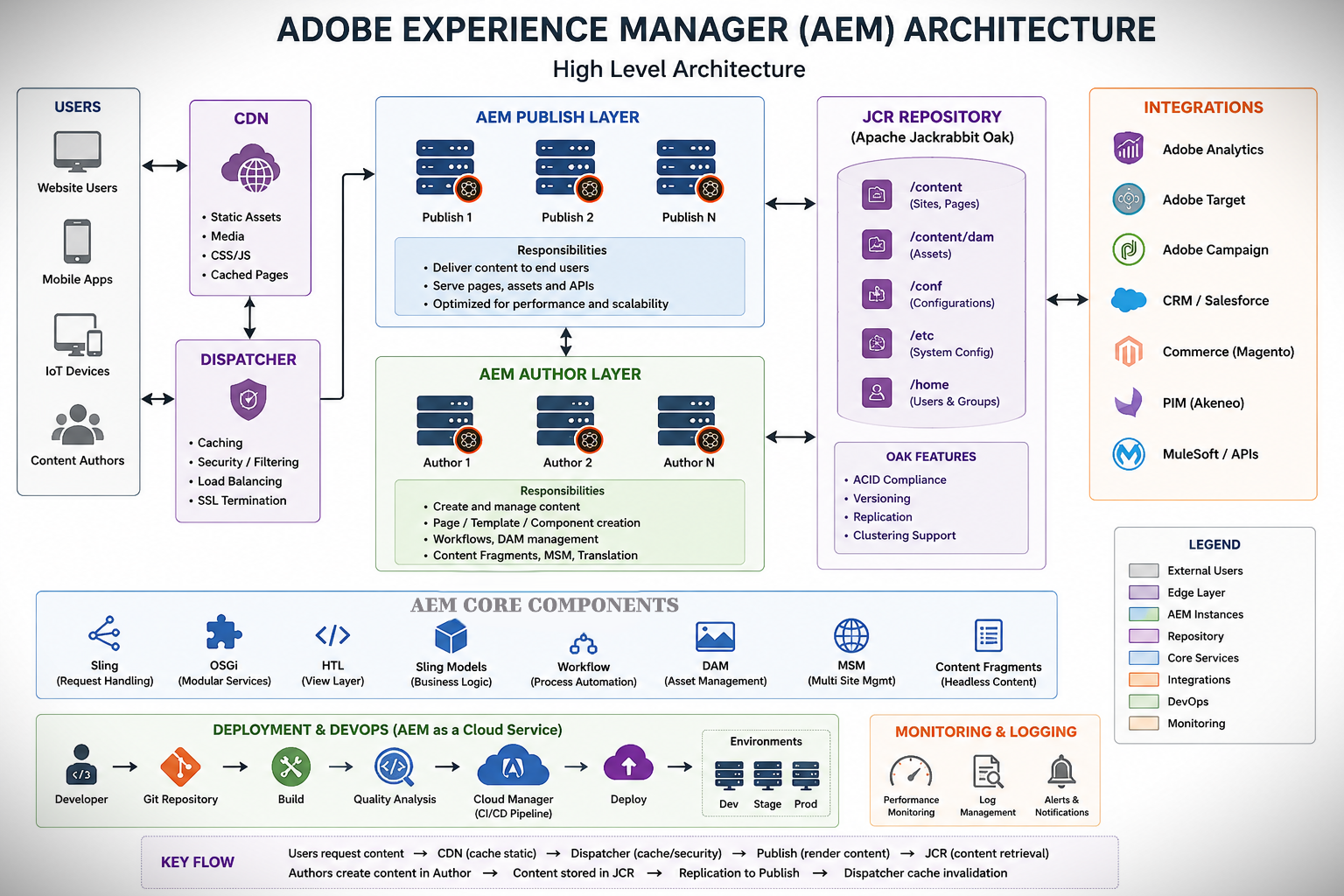
Major Layers/Components of AEM Architecture
- Users Layer — Who Accesses AEM Content
- This layer represents people who interact with AEM, including website visitors, content authors, and administrators.
- Visitors access the live website, while authors create and manage content within AEM.
- CDN (Content Delivery Network) Layer—Global Content Delivery
- A CDN stores cached website assets and content on edge servers located close to users.
- It improves website speed, reduces latency, and decreases the load on AEM servers.
- Dispatcher Layer — Caching, Security, and Load Balancing
- Dispatcher is AEM’s caching and security layer positioned between users and Publish instances.
- It caches pages, filters requests, protects AEM, and distributes traffic across publish servers.
- AEM Publish Layer — Live Website Delivery
- The Publish instance delivers approved content and web pages to end users.
- It handles website requests but does not allow direct content editing.
- AEM Author Layer — Content Management Environment
- The Author instance is used by content authors to create, edit, review, and approve content.
- Once approved, content is replicated from the author to the publisher for public access.
- JCR Repository (Oak) — Content Storage Engine
- JCR stores all AEM content, including pages, assets, templates, users, and configurations.
- Apache Jackrabbit Oak serves as the underlying storage engine that manages and retrieves content efficiently.
Core Building Blocks of AEM Architecture
- Content Storage in JCR (Java Content Repository)
- AEM does not use a traditional relational database for content storage.
- Instead, content is stored in a hierarchical tree structure following JCR standards.
- Oak provides indexing, querying, scalability, and efficient content management capabilities.
- Apache Sling — Resource-Based Request Processing Framework
- Sling processes incoming URL requests and locates the corresponding content within AEM.
- It selects the appropriate script or component required to render the requested content.
- OSGi — Modular Backend Architecture
- OSGi manages backend Java code as independent modules known as bundles.
- It enables services to be installed, updated, started, or stopped without affecting the entire application.
- Components — Building Blocks of AEM Pages
- Components are reusable content blocks such as banners, forms, carousels, and accordions.
- Authors can drag, drop, and configure these components to build web pages.
- HTL (Sightly) — Frontend Templating Language
- HTL is AEM’s secure server-side HTML templating language.
- It separates presentation logic from backend business logic, improving maintainability and security.
- Sling Models — Backend Business Logic
- Sling Models are Java classes that prepare and expose data to AEM components.
- They act as a bridge between JCR content and HTL templates.
- Content Fragments — Headless CMS Support
- Content Fragments allow authors to create reusable, structured content independent of page layouts.
- They can be delivered through APIs to websites, mobile apps, and other digital channels.
- DAM (Digital Asset Management)
- DAM stores and manages digital assets such as images, videos, PDFs, and documents.
- It provides metadata management, workflows, versioning, and asset optimization capabilities.
- Workflows — Process Automation
- Workflows automate business processes such as content review, approval, and publishing.
- They help organizations enforce governance and publishing standards.
- Editable Templates — Flexible Page Structures
- Editable Templates allow authors to create pages using predefined layouts and policies.
- They reduce developer dependency while maintaining design consistency.
- MSM (Multi Site Management)
- MSM helps organizations manage multiple websites, languages, and regional variations from a single source.
- It uses Blueprint and Live Copy concepts to synchronize content across sites efficiently.










Abhijeet Kumar
2026-06-23